

TR GPU Monitor
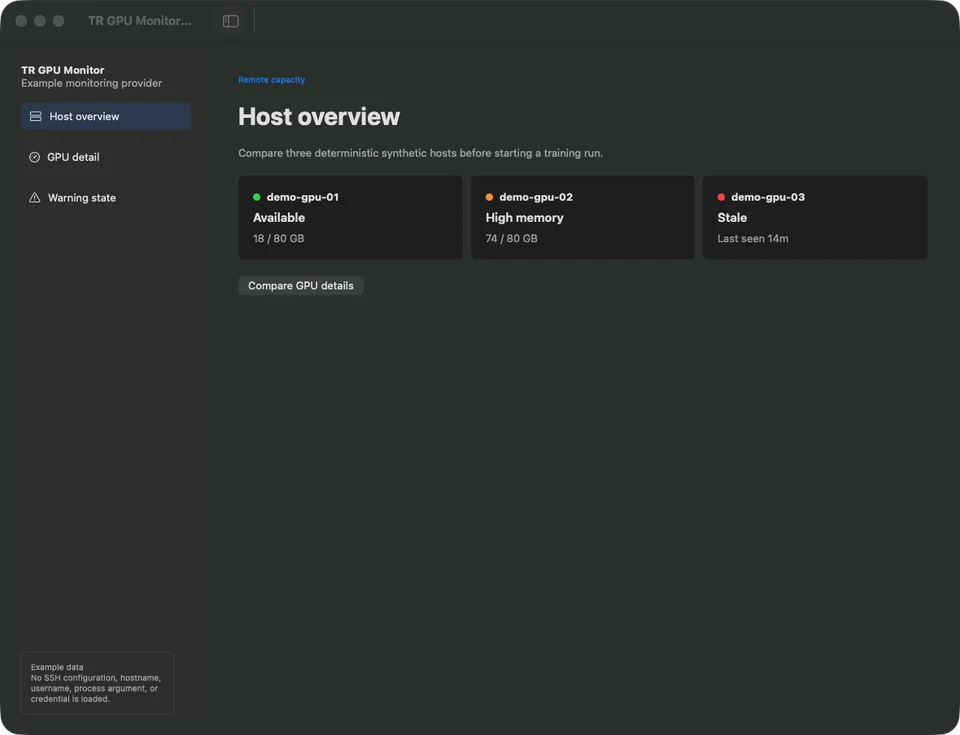
The monitor makes availability, memory pressure, stale data, and detailed GPU state visible without exposing host credentials to another application.
At a glance
- For
- People checking remote GPU capacity before starting a run
- Primary use
- Compare hosts, identify memory pressure, and open detailed state before training.
Example workflow
Check the overview
See one available host, one high-memory host, and one stale host.
Find memory pressure
Identify demo-gpu-02 before starting another workload.
Compare details
Review utilization and memory for two synthetic A100 hosts.
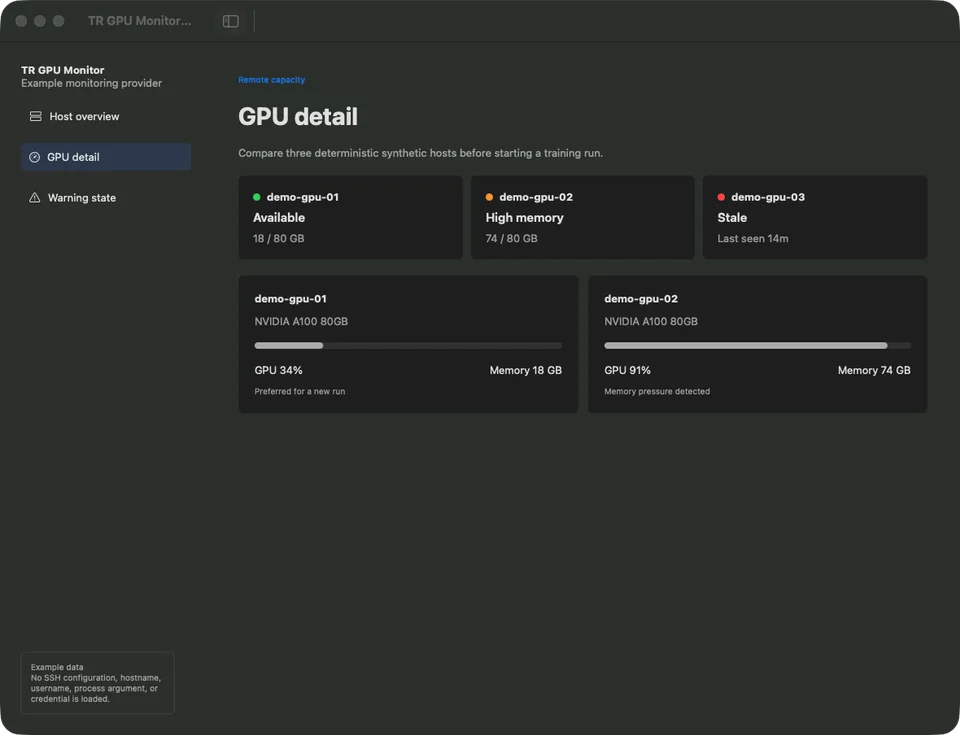
Compare utilization and memory details across hosts. Host names, GPU values, and warning times are synthetic demo data. Inspect the stale state
Confirm the unreachable warning without attempting a real connection.
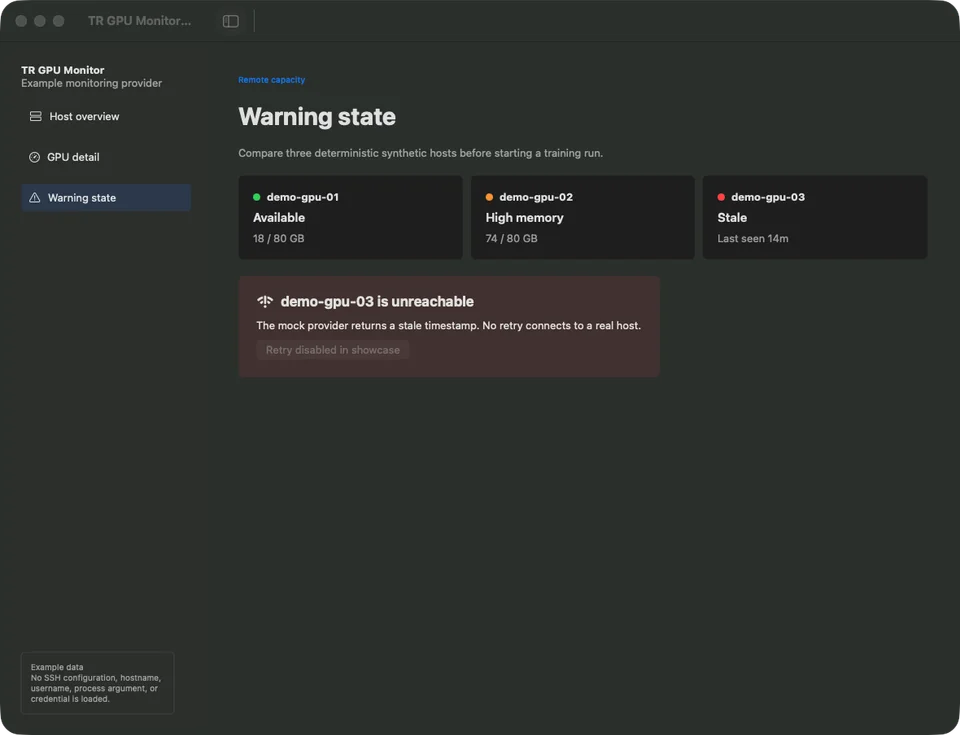
Review stale data without attempting a real connection. Host names, GPU values, and warning times are synthetic demo data.
Key features
- Multi-host availability overview
- GPU utilization and memory detail
- Stale and unreachable states
- Local notifications
- Sanitized summary boundary
Data and privacy
The approved scenario uses demo-gpu-01 through demo-gpu-03. It contains no SSH configuration, username, hostname, process argument, or credential.
Tech stack
Languages
- Swift
Interface
- SwiftUI
Data
- SQLite
Technology icons are repository-owned category symbols; the verified technology name remains visible.
Current state
Standalone host monitoring, GPU detail, persistence, notifications, and error states work locally. Studio status sharing remains under review.
Current limitations
- A full local Xcode build requires selecting the complete Xcode developer directory.
- Final package and menu-bar identity checks remain.
Technical details
Overview
The SwiftUI app polls configured hosts, owns notifications and persistence, and can provide a sanitized summary to Studio after compatibility review.
- Source provenance
- Private source repository
- Source commit
3a2fa8173f3b- Studio integration
- Under review
- Content reviewed
- Jul 12, 2026
Studio relationship
Studio may receive a short sanitized summary and open the monitor; it never receives SSH credentials or full process arguments.
Technical notes
- SwiftUI owns the presentation layer.
- SQLite or UserDefaults can store local state.
- SSH credentials and detailed processes remain inside the monitor.
Next milestones
- Complete full Xcode and packaged-app verification.
- Review the sanitized provider contract with Studio.